Outside broadcasts · down the line · remote studios
Radio outside broadcasts and down-the-line links from the phone in your pocket
Pro-Link is the browser-based ISDN replacement for radio: broadcast quality two-way audio over IP between any phone, tablet or laptop and your studio. Give a reporter a six digit code and their clean feed lands on your desk in seconds — no hardware codec to book, nothing to install.
No account needed to try · card payments taken securely · cancel any time
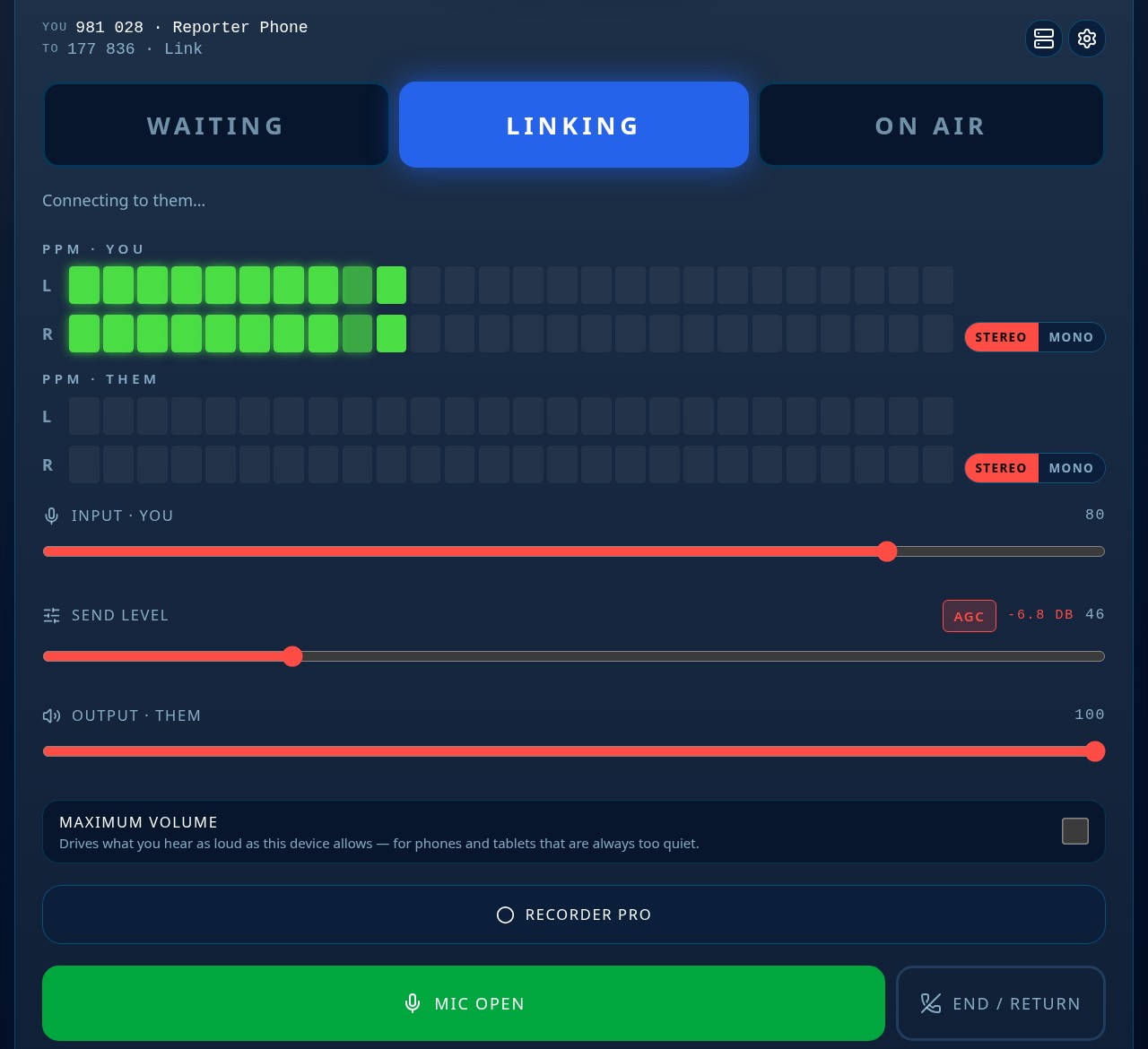
Phone in the field, tablet in the studio — one green bar and you are on air
On air in three steps
Open it on your phone
No download, no login needed to join. The address opens the link screen and asks for your microphone.
Type the six digit code
The studio gives you its code — or taps your name in Quick Connect and calls you instead.
Watch for the green bar
Levels come up on both ends, the bar turns green, and you are on air at broadcast quality.
Built for real radio
Whatever you would normally book a codec or ring a phone line for, Pro-Link does from a browser — with metering the studio can trust.
- Match day and outside broadcasts from a phone
- Down-the-line interviews with a guest at home
- A reporter's clean feed straight into the desk
- A remote studio or home presenter linked over IP
- Two-way talkback between studio and location
- Replacing ISDN and phone lines as they are switched off
- Voice pieces recorded in the field and sent on
- Emergency backup when your hardware codec fails
Everything in the box
Broadcast quality
Full bandwidth audio with proper gain control and processing — a clean feed good enough to go straight to air.
Nothing to install
Runs in the browser on a phone, tablet, laptop or studio machine. Add it to the home screen and it behaves like an app.
Pick your mic
Any microphone or interface, set the gain, choose soft, medium or hard processing to keep levels steady on the move.
Big clear meters
PPM metering on both ends, plus a full width status bar so everyone knows the moment they are on air.
Six digit codes
Every device gets its own code. Give it to a reporter or guest and they are down the line in seconds.
Quick Connect
Save your regular studios and reporters as big one-tap buttons — made for a studio touchscreen.
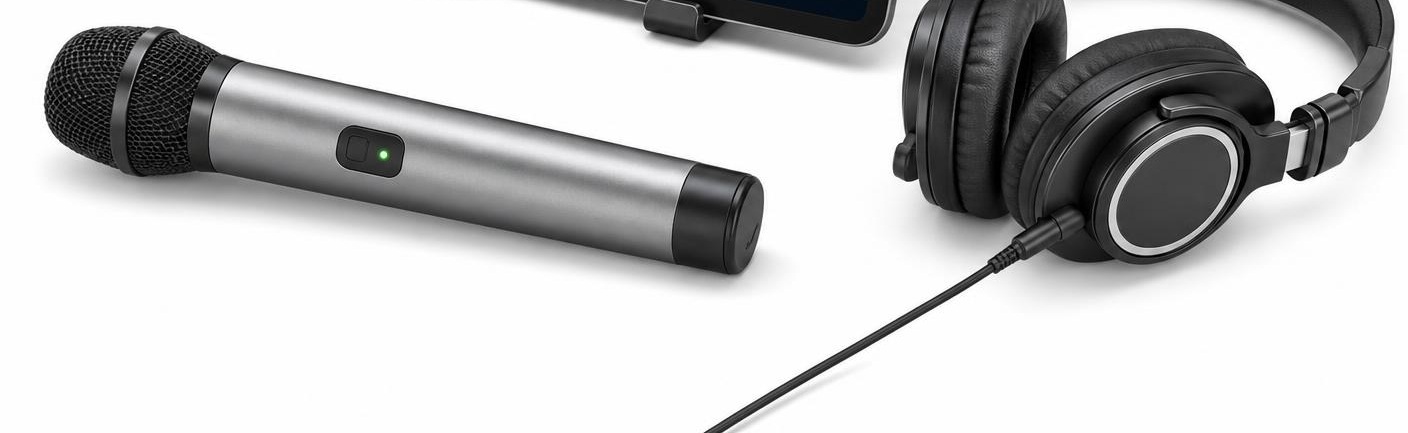
Your own microphone
Plug in a USB microphone and headphones
The built-in microphone will get you on air, but Pro-Link is happiest with a proper one. Plug a USB microphone and a pair of headphones into your phone, tablet or laptop and you have a broadcast position in a bag.
- Any USB microphone, headset or audio interface
- Wireless USB microphones work too — clip the little receiver into the USB socket and walk about
- Headphones give you the studio talkback and stop any echo
- Choose your input, set the gain and pick soft, medium or hard processing
Straight into the studio rack
Your reporter opens Pro-Link, types the six digit code, and their microphone appears in the studio rack: metered, processed and ready for the desk. Talkback comes back down the same link, so you can cue them while they are on air.
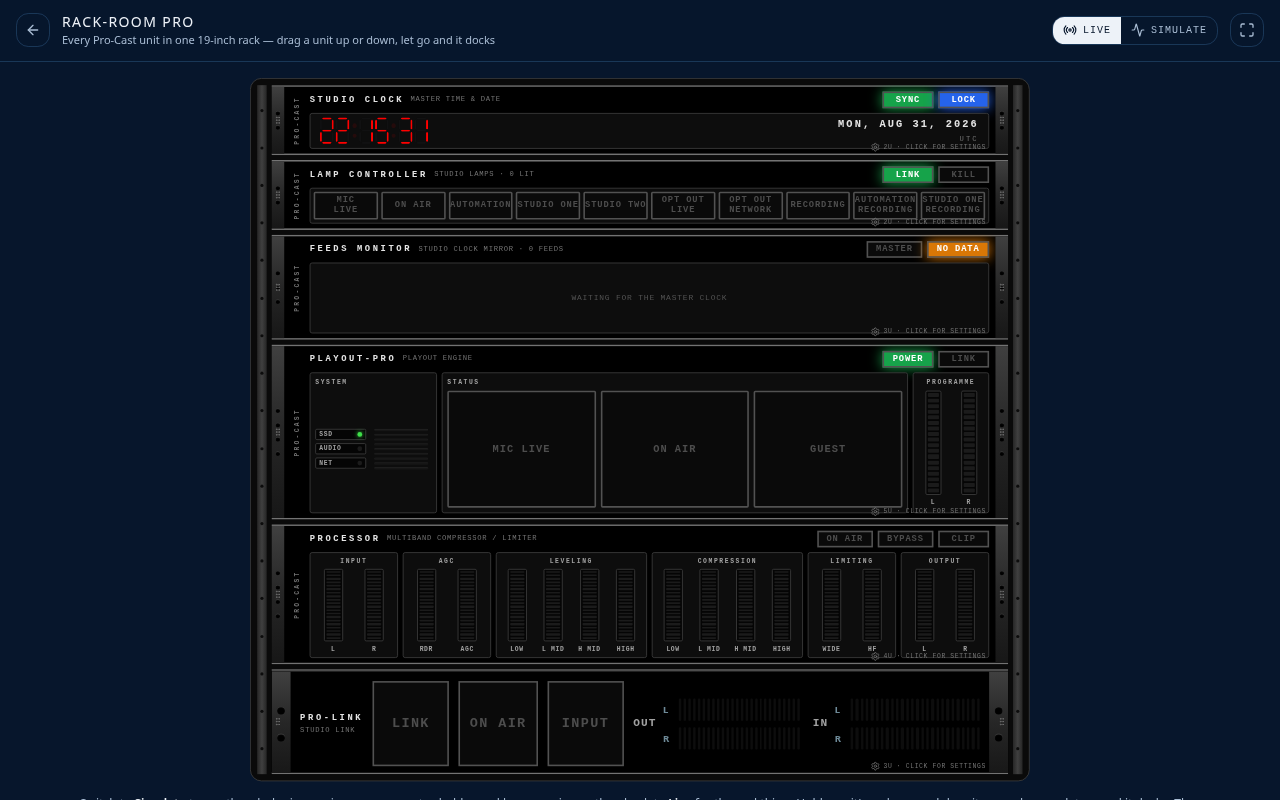
Record it, then send it
Not everything goes out live. Grab the interview in the car, check the levels on the meters, then send the audio on to the studio — the same app, the same quality.
The ISDN replacement stations actually enjoy using
With ISDN lines being switched off and hardware codecs costing thousands, stations are moving their outside broadcasts and down-the-line interviews to audio over IP. Pro-Link does the same job as a hardware broadcast codec — full bandwidth, low delay, two-way audio — but it runs in the browser your reporter, guest or remote presenter already has.
At the studio end it looks after the things engineers care about: proper PPM metering, mic gain and processing, a clean feed that goes straight into the desk, and a full-width status bar so everyone can see the moment the link is live. At the remote end there is nothing to install and no account to create — a six digit code and the microphone is on air.
Use it for match day commentary, news down-the-lines, linking a home studio to the main site, OB backup, or simply as the everyday replacement for the phone line. It works on 4G, 5G and WiFi, on iOS, Android, Windows and macOS.
Simple pricing
Every plan includes up to two connections, all processing and metering, and unlimited link time.
Yearly
£150 per year
- Unlimited use all year
- Up to 2 connections
- Two months free vs monthly
Monthly
£15 per month
- Unlimited use
- Up to 2 connections
- Cancel any time
Day pass
£5 24 hours
- Full access for 24 hours
- Up to 2 connections
- One-off payment
- Prices include VAT where it applies
- Instant access after payment
- Works on any modern browser
Questions
How does the free trial work?
You get five minutes of use, then a five minute rest, over and over — no account needed. Buying access stops the clock for good.
Is this a proper broadcast link?
Yes. Pro-Link sends a full bandwidth clean feed with metering and processing at both ends, so it can go straight to air instead of down a phone line.
How many people can be linked at once?
Every paid plan covers up to two connections at the same time.
Does the person joining me need to pay?
No. Your guest just opens the link or types your code — the payment covers your end.
What do I need at the studio?
A browser on any machine or tablet. Take the audio out of the headphone or sound card output into your desk, or use it alongside the rest of the Pro-Cast Studios apps.
Can I cancel?
Yes. Monthly and yearly plans can be cancelled at any time from your account page, and the day pass is a one-off payment that simply runs out.
What if it's not for me?
Every purchase comes with a 30-day money-back guarantee, processed by Stripe, our payment provider — see our refund policy for the details.